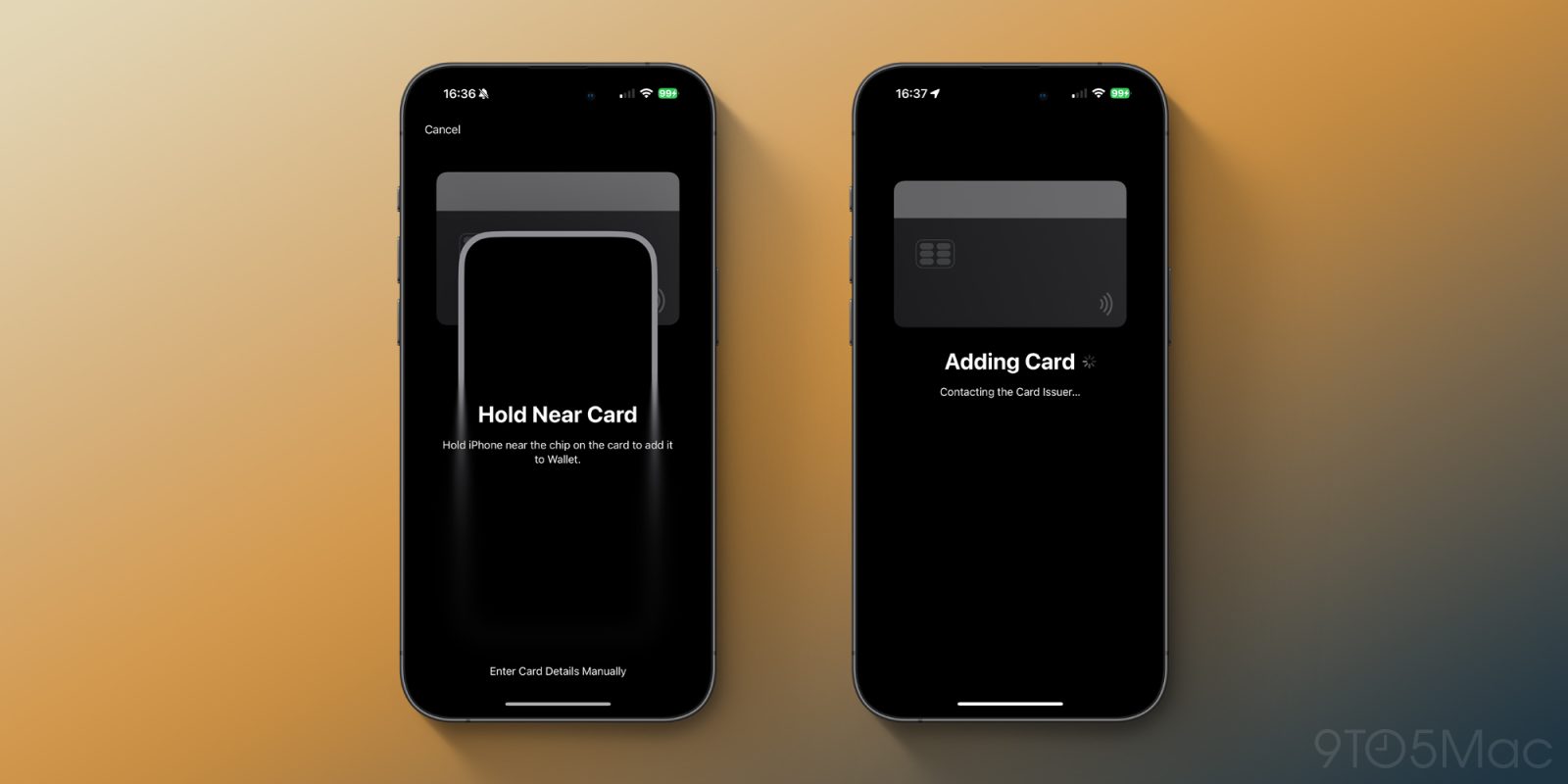
Apple is expected to announce the iPhone 16 and the iOS 18 release date at their annual iPhone keynote tomorrow, on September 9th. Ahead of that event, Apple has disabled a key new Apple Pay feature in the Wallet app, known as “Tap to Provision.”
As spotted by code sleuth Aaron Perris on X, Apple disabled the “Tap to Provision” feature on Thursday night, affecting anyone running iOS 18.0 or iOS 18.1 beta. It’s unclear why Apple disabled the feature, but given the timing, they likely didn’t think the feature was ready for prime time quite yet.
“Tap to Provision” was a feature in iOS 18’s Wallet app, which allowed you to add a new debit or credit card to Apple Pay by simply tapping your NFC-supported card to your iPhone. While it was enabled, it was the default method for adding a new card to Apple Pay, allowing users to skip the step of either taking a photo of your card or typing in the numbers manually.
Of course, simply tapping your card wasn’t all you needed to do to add a card to Apple Pay. Just like other methods of adding a card to Apple Pay, you still needed to receive a code from your bank via SMS (or complete some other verification method) to complete the process.
In my experience, this feature didn’t actually work with most of my cards, which is likely why Apple is delaying the feature.
Hopefully, it won’t be too long before we see this feature return.
Follow Michael: X/Twitter, Threads
It seems like Apple has disabled “Tap To Provision” last night on their backend.
This feature allows you to add a credit card to Apple Wallet by simply tapping it on your iPhone. pic.twitter.com/YYhrQdbTK7
— Aaron (@aaronp613) September 6, 2024
Add 9to5Mac to your Google News feed.
FTC: We use income earning auto affiliate links. More.