by Juli Clover
iOS 18 and iPadOS 18 add several new features for third-party apps, such as the option to create Control Center shortcuts that can be used in the Control Center, added to the Lock Screen, or activated with the Action Button. We’ve rounded up a list of third-party apps that have added support for iOS 18 features.
Halide
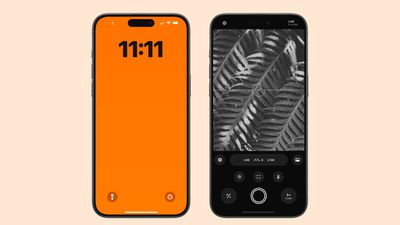
Popular camera app Halide can be accessed and launched from the Lock Screen, just like Apple’s Camera app. You can even take images using Halide while the iPhone is locked.
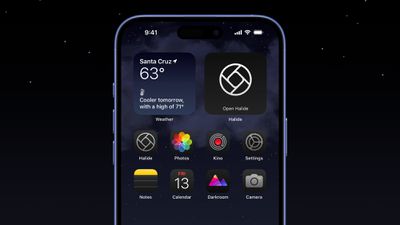
Halide can be added to Control Center, and it supports Dark Mode and Tinted icons.
CARROT Weather
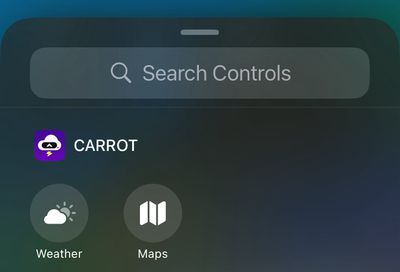
Carrot Weather supports Control Center widgets. You can add shortcuts to Control Center to launch the app to the Weather or Maps tab, plus there is support for dark and tinted app icons on the Home Screen with more than 50 alternate app icons to choose from.
On the Apple Watch, CARROT Weather now supports Live Activities so you can monitor when rain will start or stop right from your wrist. Also new is a history section that lets you see the temperature and precipitation data for the past 30 days.
Things
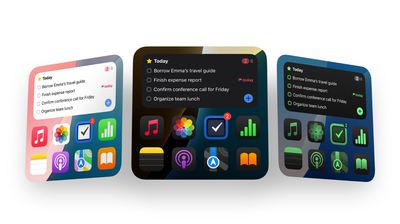
To-do app Things has two new controls for both the Control Center and the Lock Screen. You can create a new to-do or jump into a list. Things also supports dark and tinted app icons and widgets.
The new update lays the groundwork for Apple Intelligence, adding support for four actions when talking to Siri and integrating Writing Tools into the app.
Obscura
Camera app Obscura supports the new Lock Screen camera extension, so it can be accessed from the Lock Screen in place of Apple’s default Camera app.
Tripsy
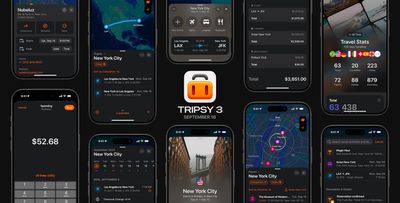
Travel app Tripsy has an updated design and integration with several iOS 18 features. There are Control Center widgets that open a list or your next trip, as well as support for Dark Mode and color tinted icons. The app also supports new MapKit categories on points of interest.
Waterllama
Water tracking app Waterllama supports Control Center widgets, but with a twist. The icons are animated, and make it simple to log liquid consumption.
Weather Up
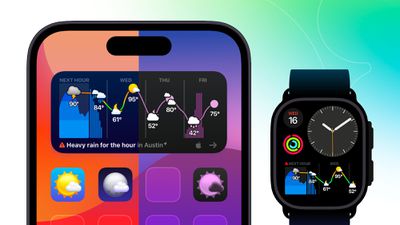
Weather Up, known for its interactive widgets, now supports tinted widgets and light, dark, and tinted Home Screen icons, all of which feature unique designs. You can use this link to try Weather Up for 7 days without agreeing to an auto-renewing subscription.
Karo
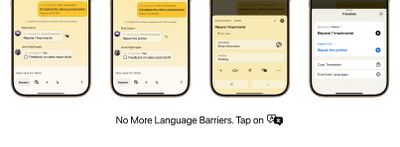
Karo, a new app for assigning tasks to people, now offers Control Center and Lock Screen widgets, along with on-device translation in the app and app intents that work with Spotlight and Apple Intelligence. There are also new Dark Mode and tinted app icons.
Crouton
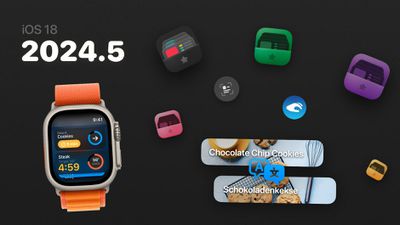
Recipe management app Crouton supports several iOS 18 features including translations for recipes and Dark Mode and tinted icons. On Apple Watch, Live Activities can be used for tracking timers and more, plus there’s an option to move through recipe steps with Double Tap.
Focus
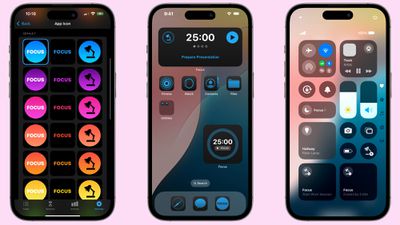
Productivity app Focus supports Control Center widgets, customizable app icons, and App Shortcuts. The watchOS 11 version of the app supports Live Activities, Interactive Widgets, and Double Tap gestures.
Slopes
Winter sports app Slopes has been redesigned for iOS 18 with a new focus on interactive maps and personal activity stats. Apple Intelligence support is included, and there are new Siri Shortcuts for controlling recording via voice or Control Center, along with support for Dark Mode and tinted icons.
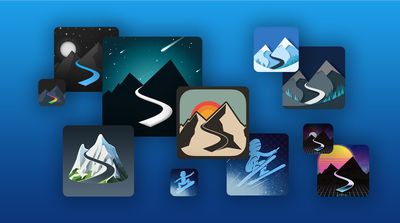
On Apple Watch, Slopes supports Smart Stack interactive widgets and Double Tap gestures.
Lumy
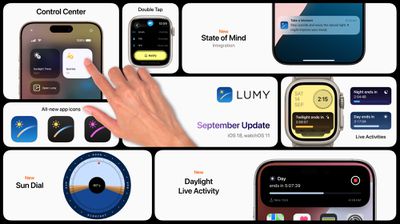
Sunrise and sunset app Lumy offers Control Center widgets and tinted icons, plus on Apple Watch, it supports Live Activities and Double Tap.
Fantastical
Calendar app Fantastical supports light mode, Dark Mode, and tinted icons and widgets. Fantastical can be adde to Control Center, with options for quick access to the Today’s Schedule, Create Event, and Search in Fantastical functions.
On Apple Watch, Fantastical supports Live Activities, which are mirrored from the iPhone. There’s also a Today’s Schedule complication that shows your next upcoming event and the number of remaining tasks for the day.
Sticky Widgets
Sticky Widgets, an app that adds sticky notes to your Home Screen, supports light mode, Dark Mode, and tintable app icons and widgets. Support for Control Center is also included.
Pinned notes will now show up on Apple Watch thanks to new integration.
More Apps with Control Center Integration
- Todoist
- Mercury Weather
- Yoink
- Access
- Book Tracker
- Please Don’t Rain
- Peak 4
- Capture
- MusicHarbor
- Saturn for Mastodon
- MeterStats
- Mango Baby
- Lion’s Eye for MTG
- TV Remote
- GameBuddy
- Bills to Budget
- NowPlaying
- Zenitizer
- Calzy
- Noir
- Orbit
- Chronicling
- Home Assistant
- Cheatsheet
- World Clock Widgets
- Longplay
Apps With Dark Mode and Tinted Icon Support
- Mango Baby
- Games
- Liftin’
- Please Don’t Rain
- Book Tracker
- Peak 4
- Winston
- CardPointers 6
- GameBuddy
- MusicHarbor
- Capture
- EmailMe
- Control Mark
- Mercury Weather
- 24me
- Zenitizer
- Calzy
- Noir
- Orbit
- Chronicling
- Home Assistant
- Cheatsheet
- World Clock Widgets
- Longplay
Apps With Apple Watch Live Activities
Popular Stories
iOS 18 Available Today With These 8 New Features For Your iPhone
Sunday September 15, 2024 10:09 am PDT by Joe Rossignol
Following over three months of beta testing, iOS 18 will finally be widely released to the public this Monday, September 16. The update should be available to install starting at around 10 a.m. Pacific Time (1 p.m. Eastern Time) in the Settings app under General → Software Update on the iPhone XS and newer. Below, we have highlighted eight key new features included in iOS 18, and Apple…
Here’s When iOS 18 Rolls Out Today in Every Time Zone
Monday September 16, 2024 3:56 am PDT by Tim Hardwick
It’s that time of year again. Apple is about to release iOS 18, which promises to bring a range of new features and improvements to iPhones worldwide. It’s Apple’s biggest software update of the year, and the company is expected to release it sometime today – Monday, September 16. Based on past releases, the update is likely to drop at around 10:00 a.m. Pacific Time/1:00 p.m. Eastern…
10 Reasons to Wait for Next Year’s iPhone 17
Friday September 13, 2024 2:40 am PDT by Tim Hardwick
Apple’s iPhone development roadmap runs several years into the future and the company is continually working with suppliers on several successive iPhone models simultaneously, which is why we sometimes get rumored feature leaks so far ahead of launch. The iPhone 17 series is no different – already we have some idea of what to expect from Apple’s 2025 smartphone lineup. If you plan to skip…
M4 Macs, New iPad Mini, and iPad 11 Expected at Upcoming Apple Event
Sunday September 15, 2024 5:29 am PDT by Joe Rossignol
Apple will likely hold another event in October this year to announce new Macs and iPads. If so, it would be the fourth time in the last five years that Apple has held an event in October. Last year, Apple held a virtual event on Monday, October 30 to announce new MacBook Pro and iMac models with the M3 series of chips. In his Power On newsletter today, Bloomberg’s Mark Gurman reiterated…
iPhone 16 Pro Demand Has Been Lower Than Expected, Analyst Says
Sunday September 15, 2024 3:58 pm PDT by Joe Rossignol
Apple analyst Ming-Chi Kuo today said demand for the iPhone 16 Pro and iPhone 16 Pro Max has been “lower than expected” since the devices became available to pre-order in the U.S. and dozens of other countries on Friday. Kuo said his data is based on a “supply chain survey” and shipping estimates listed on Apple’s online store. Kuo estimated that sales of all four iPhone 16 models reached…
Apple Intelligence Features Expected to Roll Out in This Order Between iOS 18.1 and iOS 18.4
Friday September 13, 2024 1:01 pm PDT by Joe Rossignol
iOS 18 will be released to the public on Monday, but the first Apple Intelligence features will not be available until iOS 18.1 is released in October. Apple Intelligence features will continue to roll out in iOS 18.2 and beyond, with the expected roadmap outlined below per Apple’s website and rumors. Apple Intelligence requires an iPhone 15 Pro model or any iPhone 16 model, and it will…